Game guide
Planted by a playerDon't click guide: how to play, rules and tips
Don't click is a free timing game you play in your browser on GamesGarden, on phone or laptop. A big red button with a face counts down from five. Press it at exactly 0.00 while it does everything it can to make you press too early or too late. Everyone gets the same three buttons each day, and your first run counts on today's board.
Play Don't click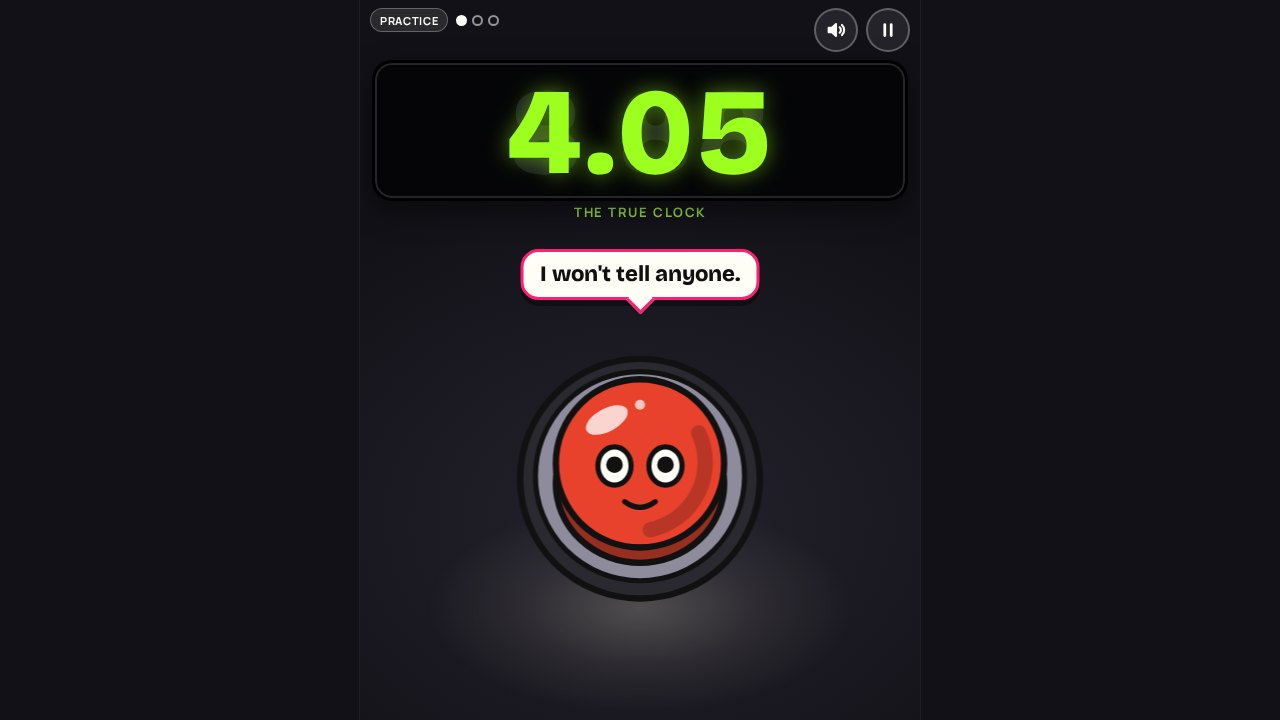
A press the button game that fights back
Don't click is a free press the button game with one rule: press the big red button at exactly 0.00. It is not a prank or a clicker. It is a timing game, and the button does everything it can to make you press early or late: its clock speeds up and lies, fake beeps and a pink finger try to make you jump, and it even runs off the stage.
Everyone gets the same three buttons each day, so you can compare runs with friends, and your first run of the day goes on the board. Press the button free in your browser, no sign-up.
How to play
- The lime clock at the top counts down from 5.00. It is the only true thing on the screen.
- Press the big red button when the lime clock reads 0.00. Spot on scores 1,000 points, 10 ms off still scores 960, 100 ms off scores 640.
- Half a second early is Too early, half a second late is Boom. Both score nothing.
- A run is three buttons, each one nastier than the last. Your total is the sum.
Rules that matter
- Pink lies. The shout in the speech bubble, the pink sticky-note clock, the BOOM sticker, the pink finger, the cardboard twin and any sound with a pink speaker are all lies.
- The lime clock never lies. It may speed up, slow down, freeze, go dark for a moment or flip upside down, but the number it shows is always the true one.
- The last 1.2 seconds are calm. Normal speed, the clock lit and upright, nothing pink. The button holds its breath with its eyes shut: that is your signal that everything from now on is honest.
- The press counts the moment your finger lands, not the next frame, so a fast phone and a slow phone time the same.
The tricks
- Button 1 teaches the rules: the clock speeds up, the button changes colour and moves once, and the clock flips upside down for a moment (1.80 suddenly reads very strange).
- Button 2 brings the liars: race-start beeps that land too early, a pink finger that pretends to press, a PRESS NOW! shout and a pink clock that counts down faster than the real one.
- Button 3 brings a fake BOOM sticker at about two seconds left and the twist of the day: the button runs off the stage and tiptoes back, the whole room turns upside down, or a cardboard twin shuffles around with the real button. The title screen names today's twist.
- Every trick is planned from the day's seed, so everyone sees the very same tricks on the Daily.
Tips and strategy
- Count in your head from the last honest second, then trust the count when the screen gets loud.
- Ignore everything pink. If it is pink, it is trying to make you press.
- Wait for the button to shut its eyes. From then on it is 1.2 seconds of plain counting.
- Rest your thumb on the screen near the button so the press is one small move, not a reach.
- The cardboard twin has a dashed pink edge and no eyes. Tapping it does nothing, so do not panic.
- Practise today's tricks after your Daily run: you will see exactly what fooled you.
Modes
- Daily: three buttons, the same for everyone today. Your first run counts on today's board and gives garden points.
- Practice: new tricks every time, never on the board.
- One more button: an endless run until your first Boom or Too early. Your best streak is kept on your device.
Controls
On a phone
- Tap the big button. The whole screen is the stage while you play.
- Pause and sound sit in the top right corner.
On a computer
- Click the button, or press Space or Enter.
- P or Escape pauses.
Questions and answers
Is Don't click free?
Yes. Don't click is free in your browser, on phone or laptop, with no download and no sign-up.
What is the goal in Don't click?
Press the big red button as close to 0.00 on the lime clock as you can. Spot on scores 1,000 points. Half a second off either way scores nothing, and half a second late the button goes Boom.
Why is the button lying to me?
That is the game. The clock speeds up, freezes and flips over, the button runs away or brings a cardboard twin, and pink things shout at you. Anything pink is a lie. The lime clock is the only thing that is always true.
Is it fair?
Yes. The last 1.2 seconds before zero are always calm: the clock runs at normal speed, lit and the right way up, and the button holds its breath with its eyes shut. Every trick has ended by then, so the final count is just you and the clock.
How does the Daily work?
Everyone gets the same three buttons with the same tricks each day (UTC). Your first run of the day is the one that counts on today's board. After that you can practise today's tricks as often as you like, but only the first run counts.
How does the leaderboard work?
Today's board ranks the highest total of the day's three buttons, then whoever pressed closest to zero overall. Your score also gives garden points for the weekly board. The press is timed on your own device: we rebuild every trick on our side and work out the score from your press times, but we cannot see your finger, so it is a friendly board.
What is One more button?
An endless run: a fresh button with the nastiest tricks each time, until your first Boom or Too early. Your best streak is kept on your device. It never goes on the board.
Can I share my score?
Yes. After the Daily, Share sends a short line with one mark per button (spot on, early, late or missed) and your total, with no spoilers about the tricks.
Ready to play?
Don't click is free in your browser, with no download and no sign-up.
Play Don't click